Tasks & boards

Plan the work.Hand it to agents.

Every project gets a board on one simple flow: backlog, todo, doing, review, done. Assign tasks to your team, start an agent session from any of them, and follow the work from the task itself. Your GitHub issues are one click away.

Sheet TK-001 Plan viewOne board · five steps
PLAN VIEW · ONE BOARD, ONE FLOW TASKS · SIGNALDESK RELEASE BACKLOGTODODOINGREVIEWDONE 01 MY WORK 02 FIVE STEPS 03 SESSION 04 LATE 05 REVIEW 06 DONE
Flow
Backlog · Todo · Doing · Review · Done
Views
List · Board · lanes by owner or priority
Sources
Glueprint boards · GitHub issues
TK-100Anatomy of a boardReal capture · desktop app

The whole release.On one board.

This is the Signaldesk release board: seven open tasks across the flow, two of them with an agent session already at work, and one running late.
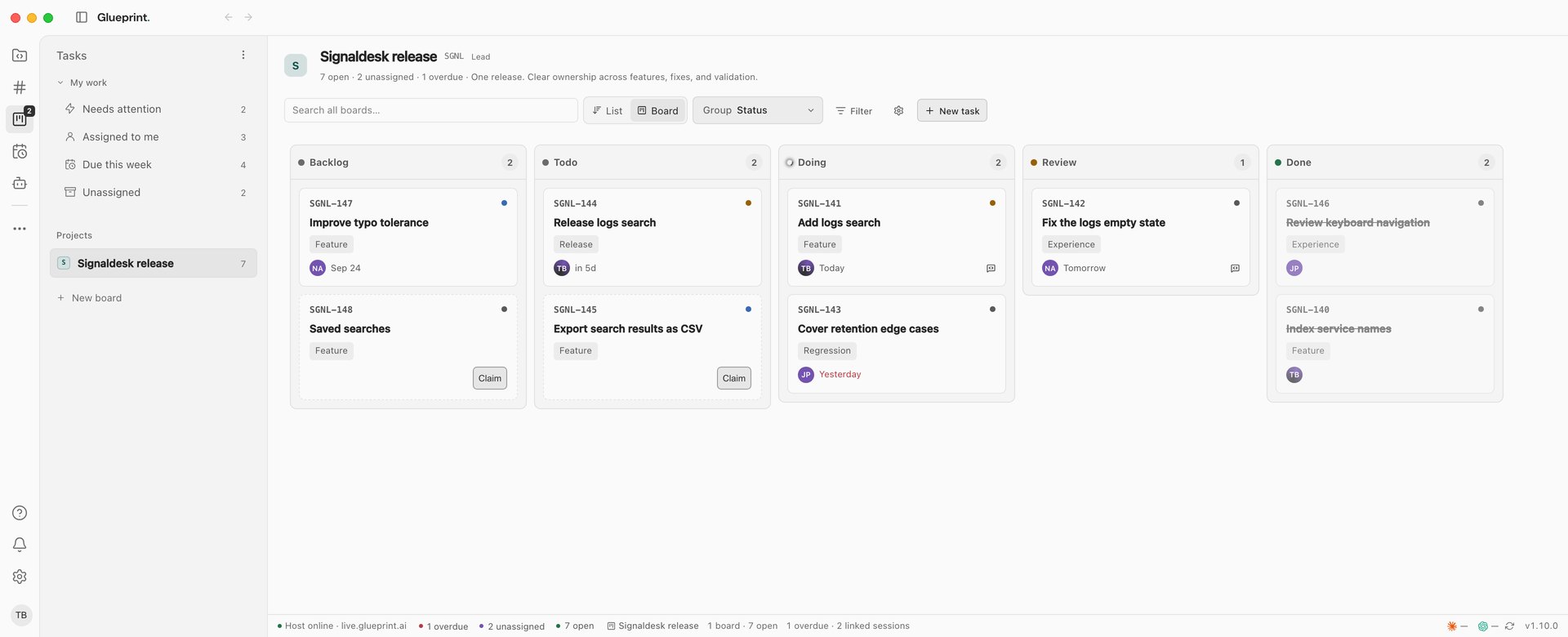
The Signaldesk release board in the desktop app: My work and the project board in the sidebar, then Backlog, Todo, Doing, Review and Done columns with owners, labels and due dates, and open, unassigned and overdue counts in the status bar.
  1. 01My workNeeds attention, assigned to me, due this week and unassigned, across every board.
  2. 02BoardsA board for every project, created with it, plus any others you add.
  3. 03Search, views and filtersSearch every board, switch between List and Board, group the lanes and filter.
  4. 04One flowBacklog, Todo, Doing, Review and Done, in that order, on every board.
  5. 05Linked sessionThe task has an agent session working on it. Open it from the task.
  6. 06Due datesToday, tomorrow or overdue, at a glance on each card.
  7. 07ClaimTake an unassigned task in one click.
  8. 08Status barOpen, unassigned and overdue counts, and how many tasks have a linked session.
TK-200The taskFlow · linked work · activity
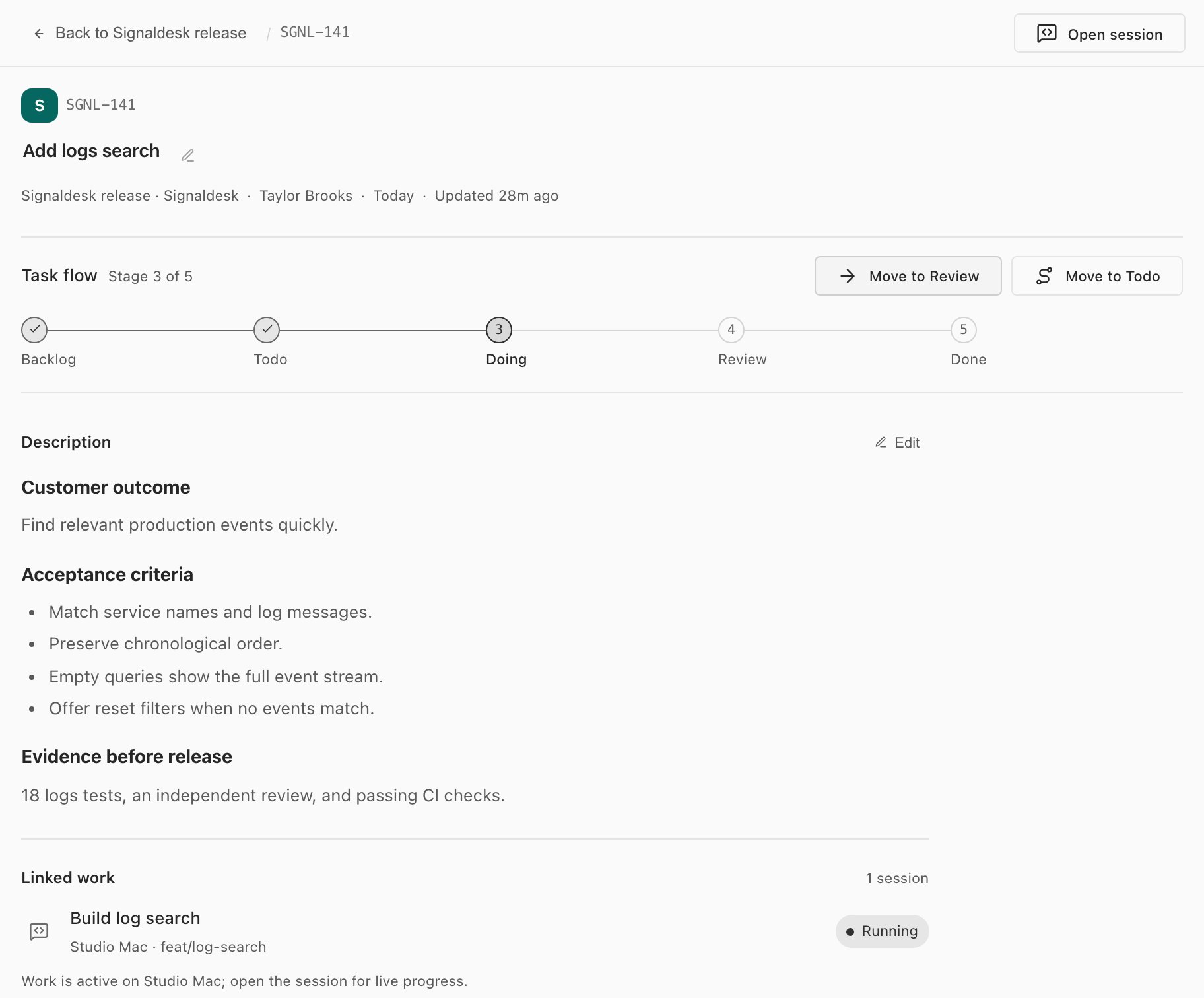
Task SGNL-141 Add logs search: stage 3 of 5 in the task flow with Move to Review and Move to Todo, the acceptance criteria, and the linked Build log search session running on Studio Mac in feat/log-search.
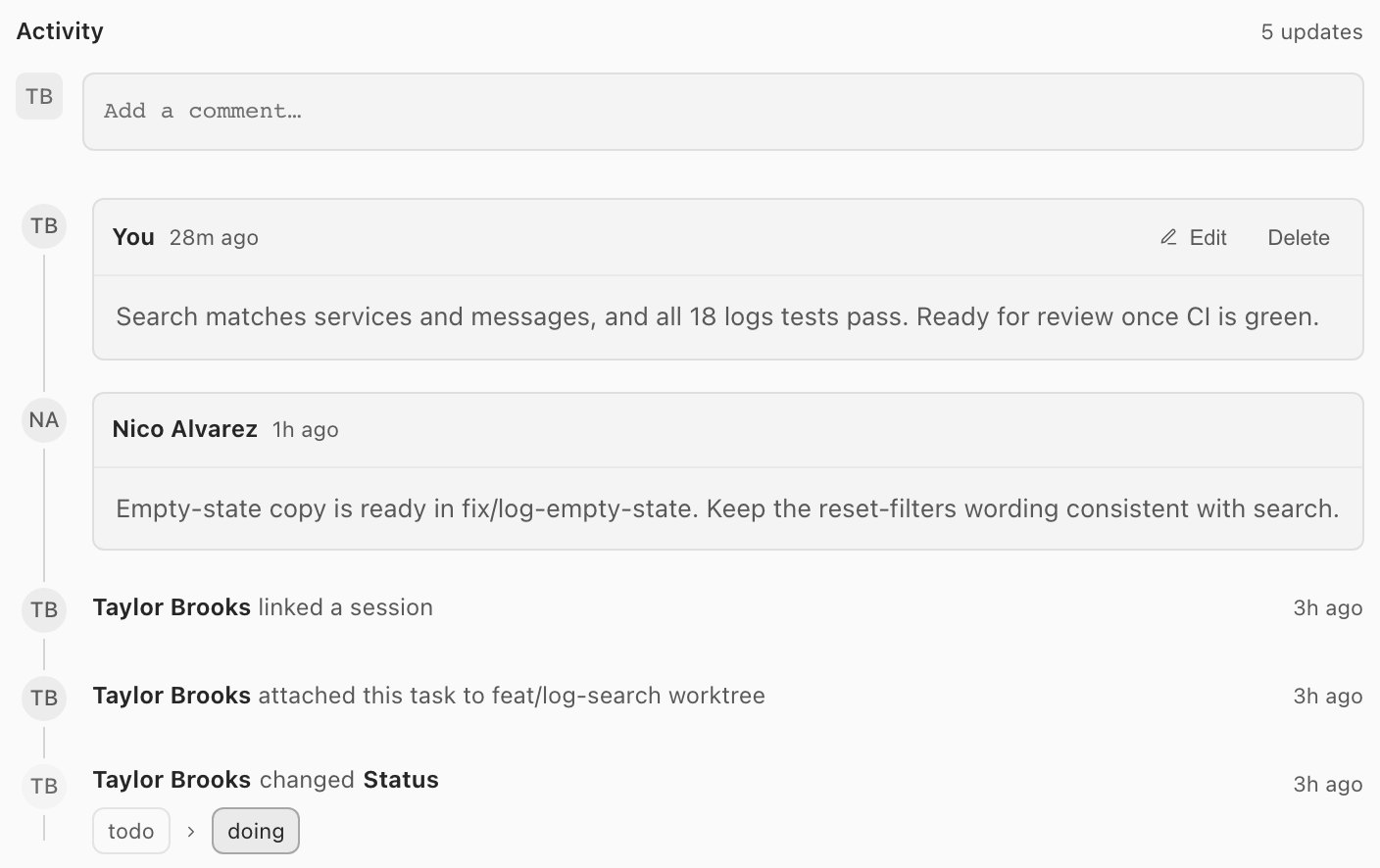
The task's activity: two comments, then Taylor Brooks linked a session, attached the task to the feat/log-search worktree, and changed its status from todo to doing.

Every task.Its whole story.

Open a task to see where it stands in the flow, what done means, and who is working on it. When an agent session picks it up, the task shows that session live and keeps a record of everything that happened.

  • Move it to the next step, or back one, from the task flow.
  • Write the description in Markdown, acceptance criteria and all.
  • Linked work shows the session, its host and worktree, and whether it's running.
  • Activity keeps comments beside every status change, worktree and linked session.
TK-300List and bulk changesReal capture · desktop app

Work the list.Move many at once.

The same tasks as a list: status, priority, owner, due date and session in one row each. Select a few and act on all of them together.
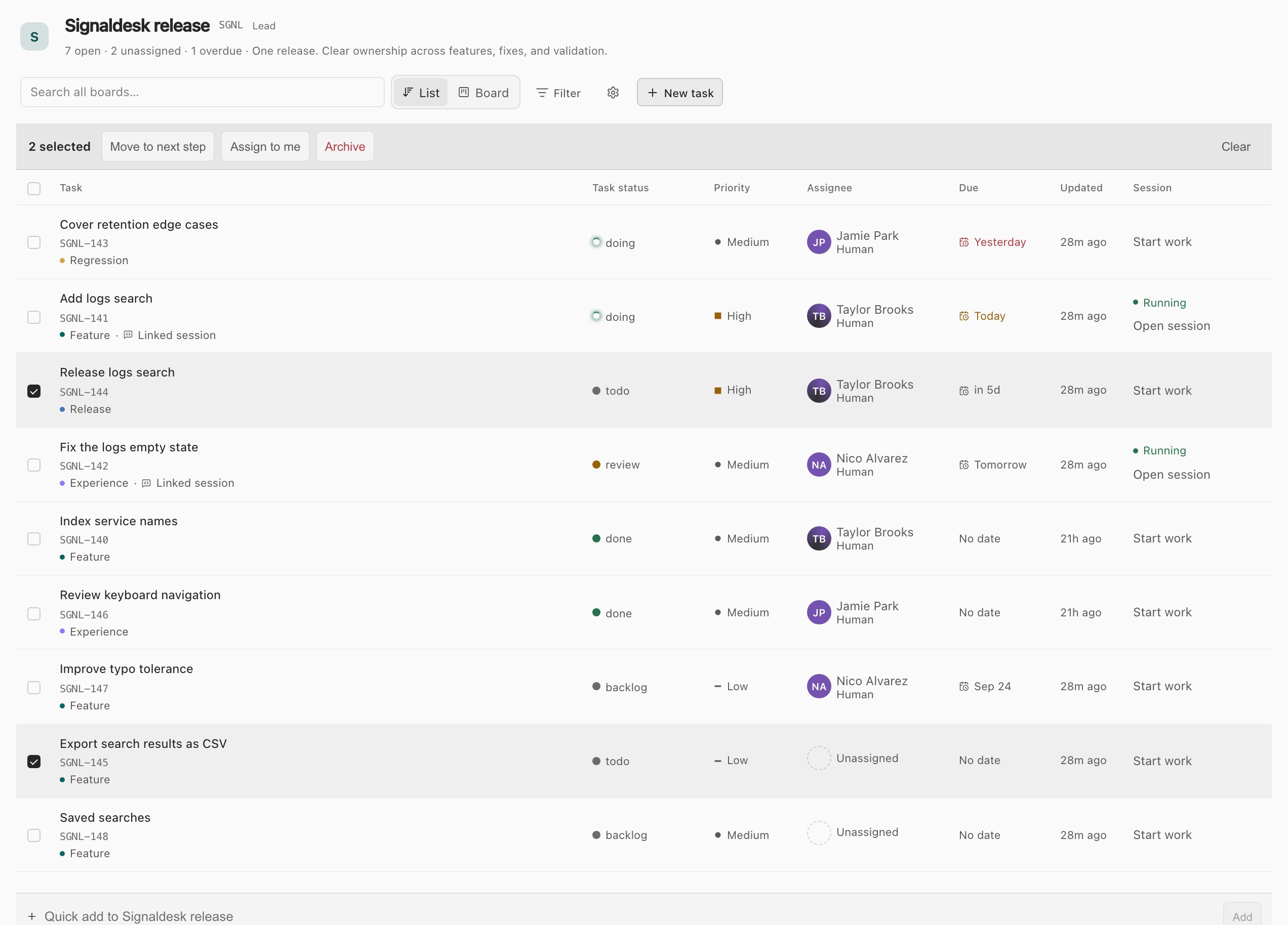
The Signaldesk release board as a list, with two tasks selected and the bulk actions Move to next step, Assign to me and Archive, a Session column showing Start work or a running session to open, and a quick-add row.
  • Move the selection to its next step, assign it to yourself, or archive it.
  • Start work from any row, or open the session that's already on it.
  • Quick add a task without leaving the list.

Start work opens a new session with the task attached, and the task links to it from then on.
TK-400GitHub issuesGitHub plugin
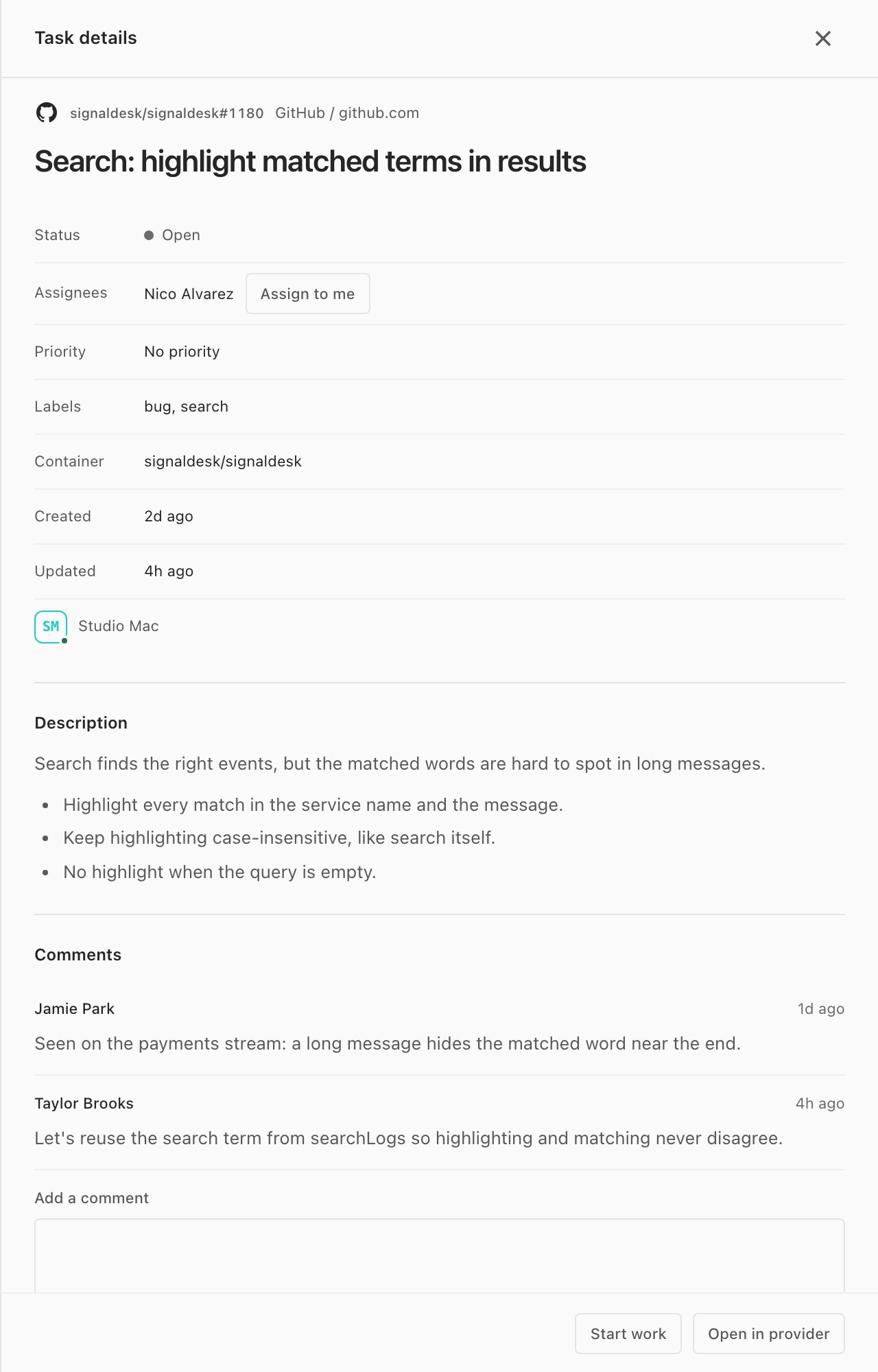
A GitHub issue's details in Glueprint: Search: highlight matched terms in results, open, assigned to Nico Alvarez, labelled bug and search, with its description, two comments, and Start work and Open in provider buttons.

Your GitHub issues.One click from a session.

The GitHub plugin lists the issues assigned to you, created by you or mentioning you, across every repository your login can reach. Open one to read it, comment, take it on, and start an agent on it.

  • Start work finds the matching project, attaches the issue and suggests a branch and worktree.
  • The session links back to the issue, so its key shows on the session.
  • Your GitHub sign-in stays on the host that owns it.
TK-500Other viewsReal captures · desktop app

Slice it by owner.Or just by you.

Group the lanes by who owns the work, or start the day from your own list across every board.

Watch the tasks chapter
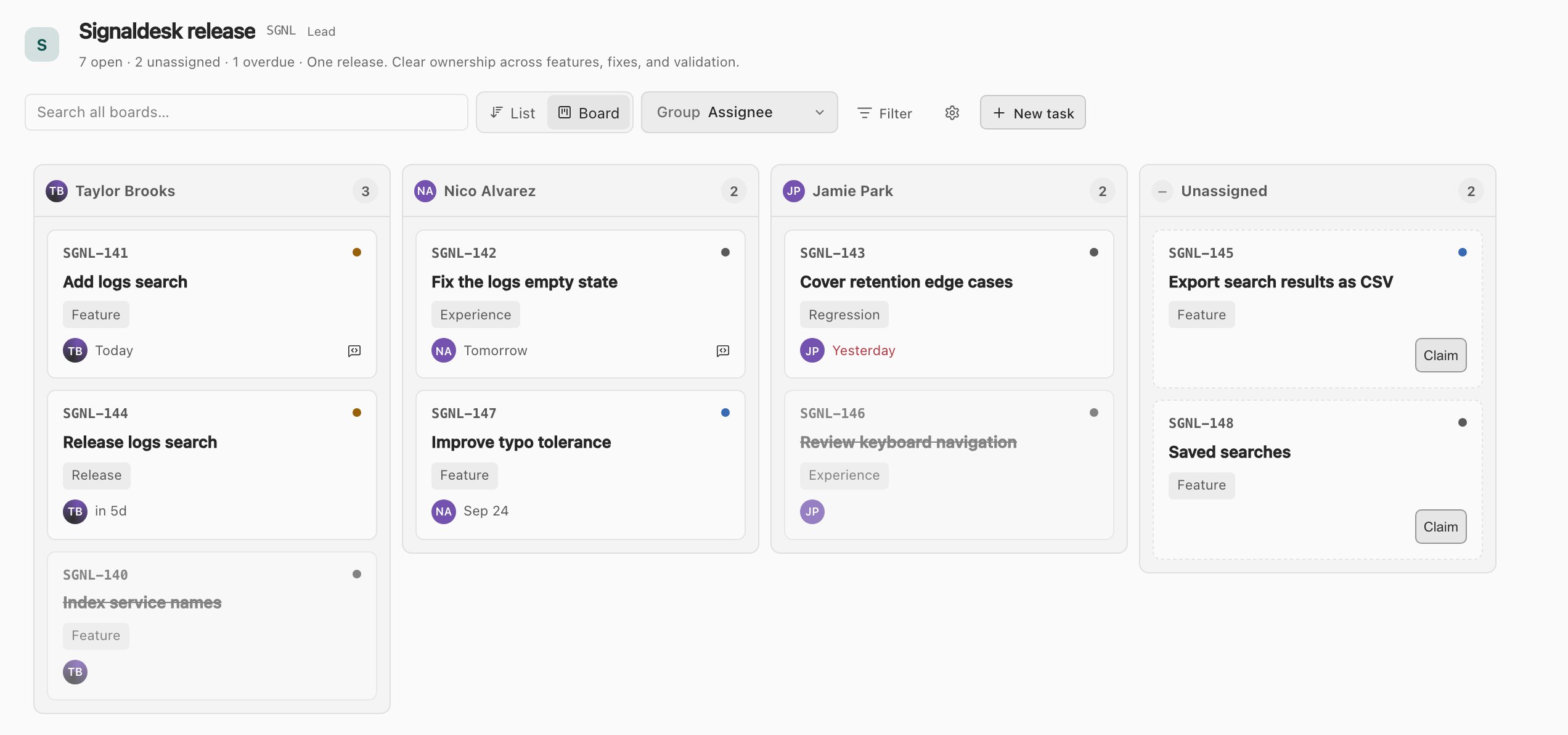
The Signaldesk release board grouped by assignee: lanes for Taylor Brooks, Nico Alvarez, Jamie Park and Unassigned, with Claim buttons on the unassigned tasks.

01Lanes by owner

Group the board by assignee, priority or epic instead of status, and see who has what.

Use the Tasks view
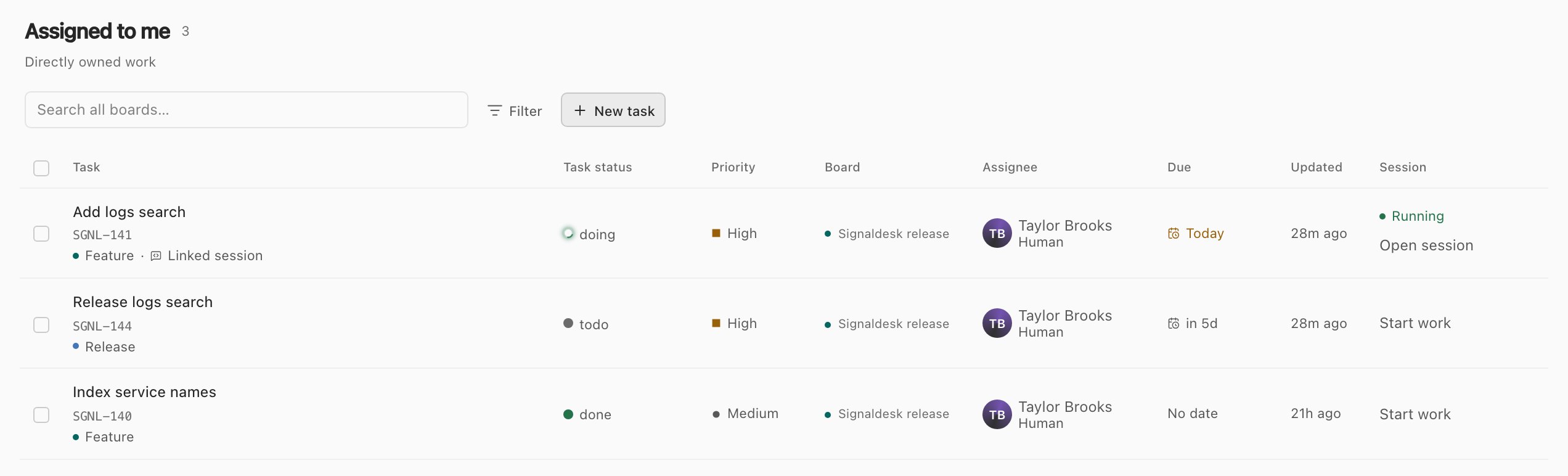
The Assigned to me list: three tasks from the Signaldesk release board, one with a running session to open.

02My work

What's assigned to you, due this week or needs attention, from every board in one list.

Use the Tasks view
TK-600The rest of tasksDesktop, web and mobile

Built for people.Readable by agents.

Boards are shared by your team and the agents working for it. Tasks and boards come with the Lite plan and up; board limits and access from other devices depend on your plan.

  • Agents use the same tasks

    Assign a task to a teammate or an assistant. Agents read, create, move and comment on tasks through Glueprint's MCP tools.

  • A board per project

    Every project gets a board when you add it. Add custom and personal boards for anything else.

  • Roles per board

    Leads, contributors and viewers. Viewers see the whole board and can't change it.

  • Nothing goes quietly late

    Due this week and Needs attention lists, an overdue count in the status bar, and a filter for anything late.

  • Search every board

    Full-text search across your boards, and filters for status, priority, owner, labels, epic and due date.

  • Web and mobile

    The same boards in the web portal and the mobile app, so a task can move from anywhere.

TK-800 From plan to done

Put the next task on the board.Then hand it off.

Download Glueprint, add a project, and its board is ready. Start an agent on the first task and watch it move.