Always-on hosts
Close your laptop.Work keeps going.
The Glueprint CLI daemon is the same engine as the desktop app, without a window. Put it on a VPS, a Mac mini or a build server, and your assistants, routines and agent sessions keep running around the clock.
Installcurl -fsSL https://install.glueprint.ai | sh
$ glueprint --help
Glueprint -- orchestrate multi-agent AI coding workflows

Usage: glueprint [OPTIONS] <COMMAND>

Commands:
  run       Start the Glueprint daemon
  activate  Activate this device with an API key
  status    Show daemon and agent status
  agent     Agent management commands
  session   Session management commands
  host      Discover Glueprint hosts
  inbox     Read or acknowledge a coordinator inbox
  check     Check a coordinator inbox
  task      Private orchestration tasks
  board     Product boards and their task operations
  worker    Orchestration workers
  gate      Orchestration decision gates
  guide     Bundled command guides
  config    Configuration management commands
  forge     Git forge credentials (GitHub, GitLab)
  tasks     Task-provider credentials, instances, and source discovery
  service   Service management - install/uninstall/status as a system service
  harness   Harness management - list/install/uninstall dynamic ACP harnesses
help Print this message or the help of the given subcommand(s)- Runs on
- 64-bit Linux · macOS · Windows
- Keeps running
- Assistants · routines · sessions
- Plans
- CLI hosts need Pro or above
Three steps.One key.
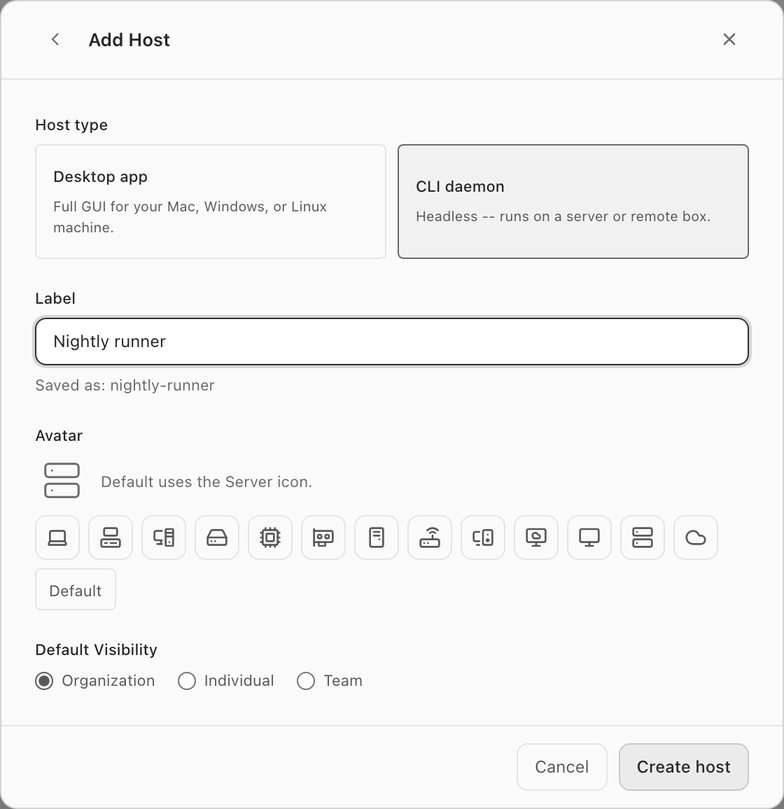
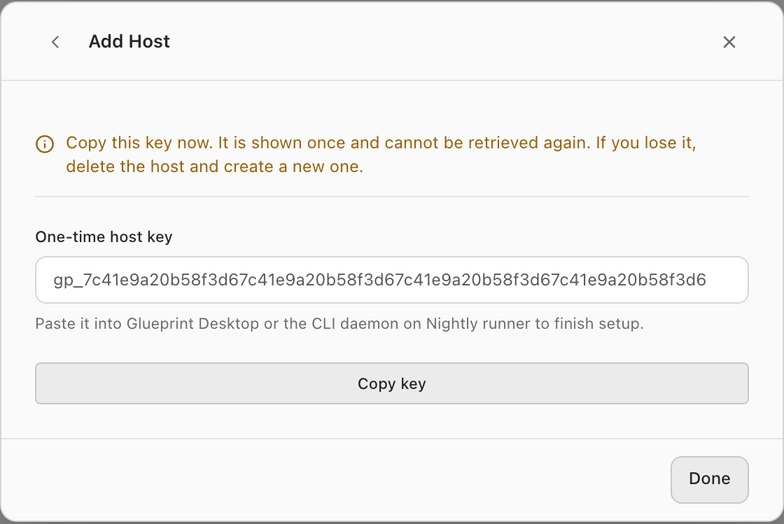
Create the host from the desktop app or the web portal, then bring it to life on the server with the key it gives you.
- 01 Create a CLI host
In Settings > Hosts, choose Add host, pick CLI daemon and give it a name. Copy the one-time key it shows you.
- 02 Install on the server
One command installs the glueprint binary for your platform and adds it to your PATH.
curl -fsSL https://install.glueprint.ai | sh - 03 Activate and run
Activate with the key, then install the daemon as a service so the operating system keeps it running.
glueprint activate --key gp_…
glueprint service install
$ glueprint run --http-port 7878
INFO glueprint::daemon: MCP HTTP server started port=55182
INFO glueprint::daemon: LSP service initialized
INFO glueprint::daemon: Task runner initialized
INFO glueprint::daemon: HTTP health server started port=7878
INFO glueprint::daemon: Assistant wake service started
INFO glueprint::daemon: Plugins service started

$ curl -s localhost:7878/health
{"status":"ok","version":"1.9.0","uptime_secs":5,"mcp_binary":"~/.glueprint/bin/glueprint-mcp"}Same engine.No window.
The daemon starts everything the desktop app runs behind the scenes: the MCP server your agents talk to, language servers, the task runner, assistant wakes and the relay connection. Nothing needs a screen or a signed-in user.
- Assistants wake on schedule and on mentions, overnight and on weekends.
- Routines fire on time, with no laptop that has to stay awake.
- glueprint status, session list and agent detect answer from the shell.
Out of sight.Never out of reach.
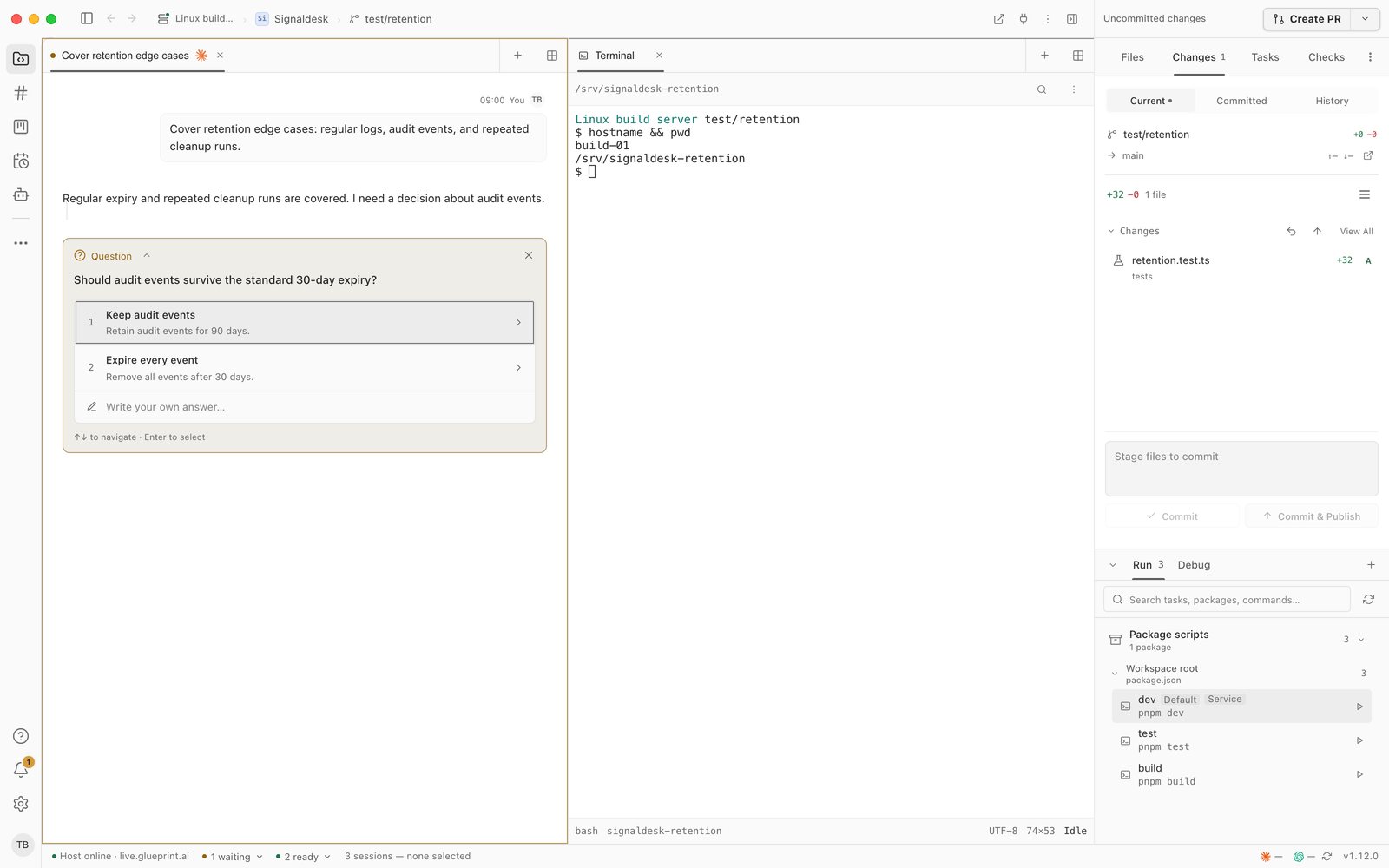
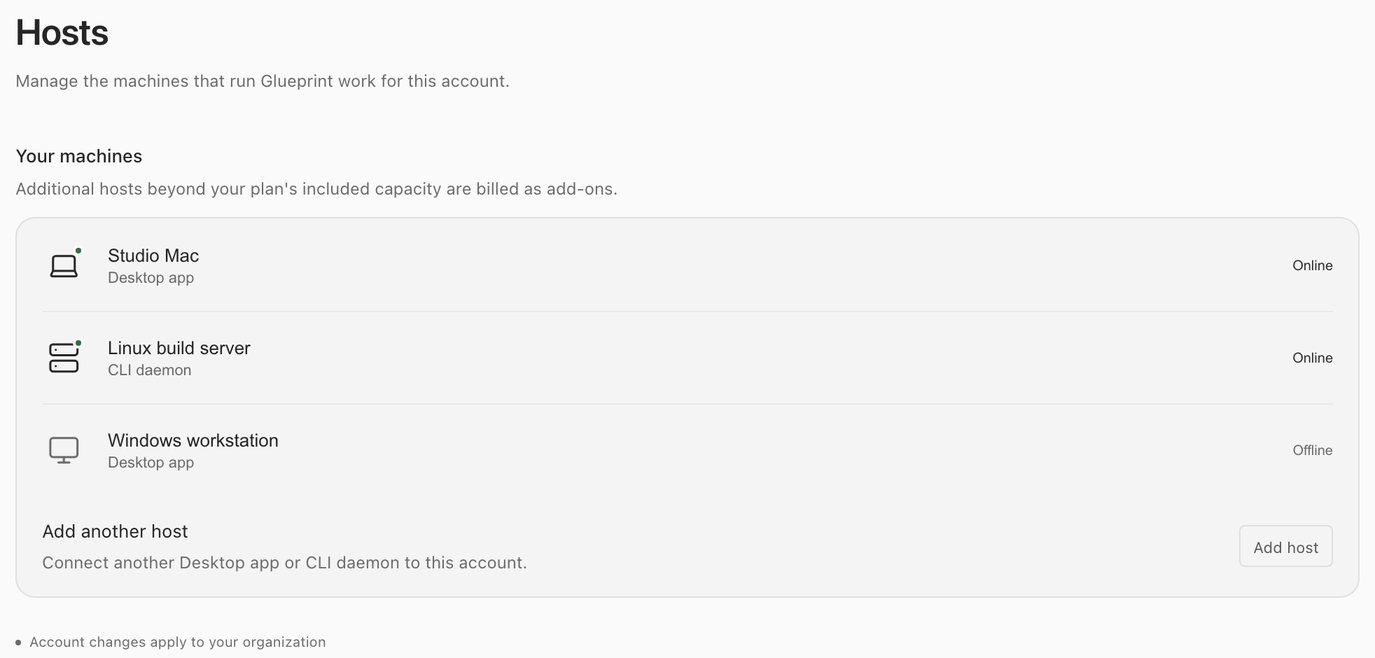
A CLI host shows up beside your other machines. Open its workspaces, answer its sessions' questions and use its terminals from the desktop app, the web portal or your phone, while the work runs on the server.
- Its workspaces get their own group in the sidebar, under each project it holds.
- Pick it in the host selector like any other machine.
- Its development ports are detected and can be forwarded to you.
- Dispatch orchestration workers onto it from another host.
Built to stay up.And to stop cleanly.
Everything a long-running service needs, from boot to a clean shutdown.
-
A real service
Installs into launchd on macOS, systemd on Linux or Task Scheduler on Windows, at the user or system level.
-
The same engine
Assistants, routines, sessions, orchestration and port forwarding run exactly as they do in the desktop app.
-
Your agents
Detects Claude Code, Codex and Gemini on the machine, and installs other agents over the Agent Client Protocol.
-
Scriptable
Every command takes --json and returns fixed exit codes, so scripts and cron jobs can drive it.
-
Graceful shutdown
On SIGTERM it stops the scheduler, closes terminals and agents in order, and marks sessions stopped.
-
Private health checks
Optional /health, /sessions and /state endpoints listen on 127.0.0.1 only, for your monitoring.
$ kill -TERM <pid>
INFO glueprint::daemon: Shutdown signal received, cleaning up... signal=SIGTERM
INFO glueprint::daemon::shutdown: Stopping scheduler...
INFO glueprint::daemon::shutdown: Stopping file and git watchers...
INFO glueprint::daemon::shutdown: Closing PTY terminals...
INFO glueprint::daemon::shutdown: Cancelling active task runs...
INFO glueprint::daemon::shutdown: Shutting down LSP servers...
INFO glueprint::daemon::shutdown: No active agent processes to terminate
INFO glueprint::daemon::shutdown: Disconnecting from cloud relay...
INFO glueprint::daemon::shutdown: Graceful shutdown complete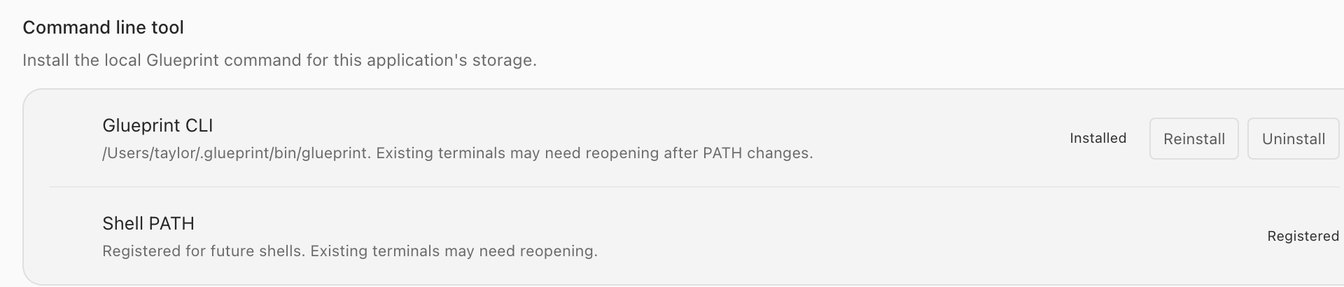
The CLI comes with the app.One click.
On a machine that runs the desktop app, install the glueprint command from Settings > General. It talks to the app that's already running, so you can script sessions, orchestration and boards from your own terminal.
AH-600 Give it a home
Give your agents a home.One that never sleeps.
Start with the desktop app, then add a server with the CLI when your work should keep running without you.